
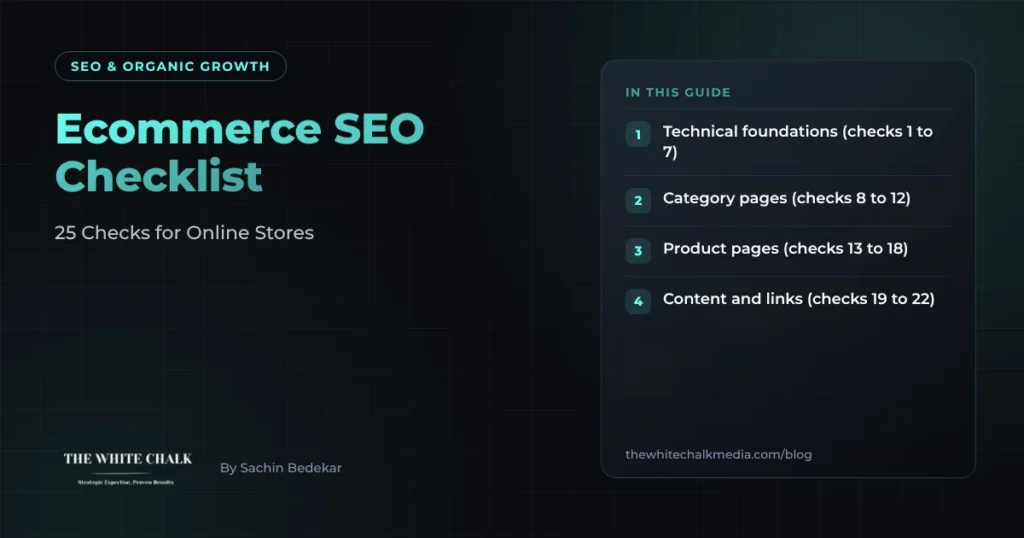
The fastest ecommerce SEO wins usually come from category pages and technical fixes, not from blogging. This checklist covers 25 checks in the order we work through them on a new store: technical foundations first, then category pages, product pages, supporting content and measurement.
Score each check as done, partly done or not done. Fix the technical items before you spend on content, because content cannot rank on pages Google struggles to crawl.
Technical foundations (checks 1 to 7)
- Every important page is indexable. Check Search Console’s Pages report for category and product URLs marked “Crawled, currently not indexed” or “Excluded”.
- Filters and sort options do not create endless URLs. Colour, size and price filters should not each produce an indexable page unless people actually search for that combination.
- One URL per product. If a product sits in three categories, it should still have one canonical address. Our glossary explains canonical tags and technical SEO.
- Pages load quickly on mobile. Product images are the usual culprit. See our Core Web Vitals service.
- Out-of-stock products are handled deliberately. Keep the page live if the product returns, redirect it to the closest alternative if it is gone for good.
- The XML sitemap lists only live, indexable pages. No redirects, no out-of-stock dead ends, no filtered URLs.
- HTTPS, a clean redirect setup and no broken internal links. Run a crawl monthly.
Category pages (checks 8 to 12)
Category pages usually target the highest-value searches, such as “men’s leather boots”.
- Each category targets one clear search term, and no two categories compete for the same one.
- A short, useful introduction sits above or below the products: what the range covers, how to choose, delivery and returns in a sentence. Not 800 words of filler.
- Subcategories exist where people search for them (“waterproof walking boots”) and not where they do not.
- Breadcrumbs and internal links connect categories, so authority flows from the home page down to products.
- Pagination works for crawlers. Page two onwards should be crawlable, with products linked as plain links.
Product pages (checks 13 to 18)
- Unique product descriptions. Manufacturer copy appears on every other retailer’s site.
- Product structured data with price, currency, availability and reviews where you have them. Our glossary covers schema markup.
- Descriptive image file names and alt text (“brown-leather-chelsea-boot-side.jpg”, not “IMG_2041.jpg”).
- Answers to buying questions on the page: sizing, materials, delivery times, returns, warranty.
- Trust signals near the price: reviews, guarantees, secure payment, contact options.
- Model-level pages for searched products. People who search an exact model number are close to buying.
That last point paid off for Kamal Watch Co, a luxury watch retailer moving from showrooms to online sales. We targeted searches for specific watch models rather than generic “luxury watches” terms, alongside Meta and Google Shopping campaigns, and the case study reports sales revenue up 120% within the first 12 months.
Content and links (checks 19 to 22)
- Buying guides for comparison searches (“best running shoes for flat feet”) that link to the right categories.
- No thin blog posts written only to hit a keyword. Each piece should help someone choose.
- Links from relevant sites: suppliers, industry press, gift guides, local news.
- Merchant Center feed set up so products can appear in Google’s free shopping listings as well as ads.
For Royal Oak, fixing Core Web Vitals, adding product schema and building buying guides around category pages doubled the share of revenue coming from organic search and lifted high-intent organic visitors by 70%, as reported in the case study.
Measurement (checks 23 to 25)
- Ecommerce tracking in GA4 records revenue by landing page, so you can see which categories earn money from search.
- Search Console is checked monthly for pages losing impressions or clicks.
- Organic revenue and conversion rate are reported by category, not just sessions and rankings.
What to fix first
If you only have time for five checks this month, take 1, 2, 3, 8 and 14. Indexing problems, duplicate URLs and weak category targeting hold back everything else.
UK notes
Show prices in pounds including VAT, state UK delivery times and costs on product and category pages, and make your returns policy easy to find. These details answer common objections and often appear in the questions people ask search engines before buying.
Selling in the UAE or India too?
International stores need separate country or language versions with hreflang, local currency and local delivery details. Our guide to ecommerce SEO in Dubai and the UAE covers Arabic and English sites and marketplace competition. If you are budgeting for the work, see what SEO costs in the UK.
Need a hand?
Our ecommerce SEO service starts with a free audit against this checklist, so you know which fixes will move revenue first.
Get a free ecommerce SEO audit
Frequently asked questions
What is the most important part of ecommerce SEO?
Making sure Google can crawl and index your category and product pages without wasting time on duplicate or filtered URLs. Category pages usually target the most valuable searches.
Do ecommerce sites need a blog?
Only for buying guides and comparisons that help people choose. Thin posts written just to target keywords rarely help.
How do I stop filter pages hurting SEO?
Keep filters that match real searches indexable with unique content, and stop the rest from being indexed or crawled, using canonical tags and robots rules.
Does product schema help rankings?
It helps search engines understand price, stock and reviews, and can make your listing richer in results, which can improve click-through.
